Disclosure: I build StemConsole, one of the tools below. Plans and limits change often, so check each tool’s own pricing page before you pay.
At a glance
| Tool | Best for | Runs on | Free option | Main trade-off |
|---|---|---|---|---|
| Ultimate Vocal Remover | Free local separation, unlimited use | Desktop (Windows, Mac, Linux) | Free, open source | Install, model choices and render time |
| LALAL.AI | Paid splitting, many stem types | Web, desktop, plugin | Short preview | Full downloads are paid |
| BandLab Splitter | Free splits inside a free DAW | Web and mobile | Yes, with an account | Tied to the BandLab ecosystem |
| StemConsole | Mixing and practising stems in the browser | Web, desktop and phone browsers | Vocal removal and 4 stems, 5 splits a month | No chord detection; guitar and piano need Pro or a credit; speed and key on stems and multiple loops need Pro |
| Fadr | Producers and DJs wanting stems in a DAW | Web, plugin | Yes, MP3 stems | WAV and extra stems on the paid plan |
| MVSEP | Trying the newest separation models | Web | Yes, plus paid options | Plain interface, more choices to make |
| RipX DAW | Editing notes inside separated audio | Desktop | Trial | Paid, and more than a splitter |
What people usually want from a Moises alternative
Moises does three jobs at once: it separates stems, it gives you practice tools (speed, pitch, loops, a metronome, chord detection), and it lives on your phone. Most alternatives only do the first job. So the right pick depends on which of the three you actually use.
Official reference: Moises stem separation.
1. Ultimate Vocal Remover: free local separation
UVR is free, open-source desktop software that runs a range of separation models on your own machine, with no upload limits. The cost is setup: you install it, pick models and wait for renders on your own hardware.
Official reference: UVR project.
2. LALAL.AI: paid splitting with many stem types
LALAL.AI offers separate splits for vocals, synths, strings and wind, among other stem types. Full-length downloads are paid, and it is a separation tool rather than a practice app.
Official reference: LALAL.AI features and plan details.
3. BandLab Splitter: free, inside a free DAW
BandLab’s Splitter separates songs for free with an account and drops the stems into BandLab’s online studio. Good if you already make music in BandLab. Less good if you just want to split a song and practise with it quickly.
Official reference: BandLab Splitter workflow.
4. StemConsole: a mixer and practice room in the browser
StemConsole opens a split in a live mixer, so you solo, mute and balance each part before downloading anything. The free plan covers vocal removal and a 4-stem split (vocals, drums, bass, other), 5 splits a month, basic looping, a saved library, share links and a speed and key player for whole songs, with no watermarks and no install. Pro, at US$6.99 a month or US$49 a year, adds 6 stems with guitar and piano, WAV, and practice tools on the separate stems: speed change without pitch change, key change, named loops, tap tempo and count-in. A US$1.99 credit buys one 6-stem split without a subscription, enough to isolate the piano and the guitar from one song. It does not detect chords, and there is no native phone app, though it works in a mobile browser.
5. Fadr: stems for producers and DJs
Fadr splits songs in the browser, has a free tier with MP3 stems, and offers a plugin so stems land inside your DAW. It leans towards remixing and DJ use rather than instrument practice.
Official reference: Fadr Plus features.
6. MVSEP: newest models, no frills
MVSEP is a web service that exposes many separation models, including recent ones, so you can try several on one song, with free and paid options. The interface is utilitarian and assumes you know what you are choosing. If you would rather not pick a model, see MVSEP alternatives.
Official reference: MVSEP models and plan limits and export formats.
7. RipX DAW: when you want to edit the notes
RipX goes beyond splitting: it lets you edit pitch, timing and individual notes inside the separated audio. It is paid desktop software and more than most practice users need, with a workflow built around editing separated audio.
Official reference: RipX DAW features.
How to choose
- You practise on your phone and want chords shown: stay with Moises.
- You want the free local separation and do not mind installing: Ultimate Vocal Remover.
- You want to slow down, loop and change key in the browser, with stems: StemConsole Pro.
- You want paid splitting with many stem types: LALAL.AI.
- You produce or DJ and want stems in your DAW: Fadr, or UVR for free.
- You want to fix or change notes in a recording: RipX DAW.
Whatever you pick, run the same song through two tools and listen on headphones for cymbal smearing, reverb tails and vocal left in the instrumental. Results depend on the song, model and settings.
Frequently asked questions
What is the best free alternative to Moises?
For free local separation, Ultimate Vocal Remover, which runs on your own computer with no limits but needs installing. For free splitting in the browser, BandLab Splitter or StemConsole, which opens the stems in a live mixer. Choose according to the practice features you need.
Is there a Moises alternative with practice tools?
Yes. StemConsole Pro has speed change without pitch change and key change on separate stems, named loops, tap tempo and count-in in the browser, and its speed and key player for whole songs is free. RipX DAW goes further for editing individual notes but is paid desktop software. Moises remains the pick if you want chord detection on your phone.
Which Moises alternative has the best separation quality?
Quality varies song by song. Ultimate Vocal Remover and MVSEP let you compare separation models; LALAL.AI offers previews. Run the same song through two or three tools and listen for cymbal smearing, reverb tails and leftover vocals.
Can I use a Moises alternative without a subscription?
Yes. Ultimate Vocal Remover is free software. StemConsole sells a US$1.99 credit for one 6-stem split with no subscription. LALAL.AI also sells packs rather than only subscriptions; check its current pricing page.
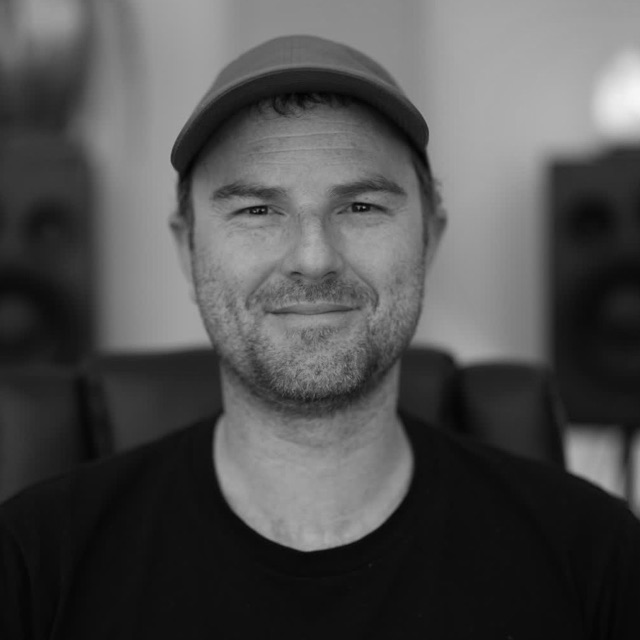
Dan Murtagh is a Melbourne mixing and mastering engineer with 20 years making records and a decade teaching audio. He built StemConsole as a practice tool for his students. More about Dan.
Need one instrument on its own? Compare the best tools to isolate guitar and the best tools to isolate piano.